> For the complete documentation index, see [llms.txt](https://docs.quantumbyte.ai/llms.txt). Markdown versions of documentation pages are available by appending `.md` to page URLs; this page is available as [Markdown](https://docs.quantumbyte.ai/components/studio/page-editor.md).
# Page Editor
{% hint style="info" %}
Coming soon in v3.1.1
{% endhint %}
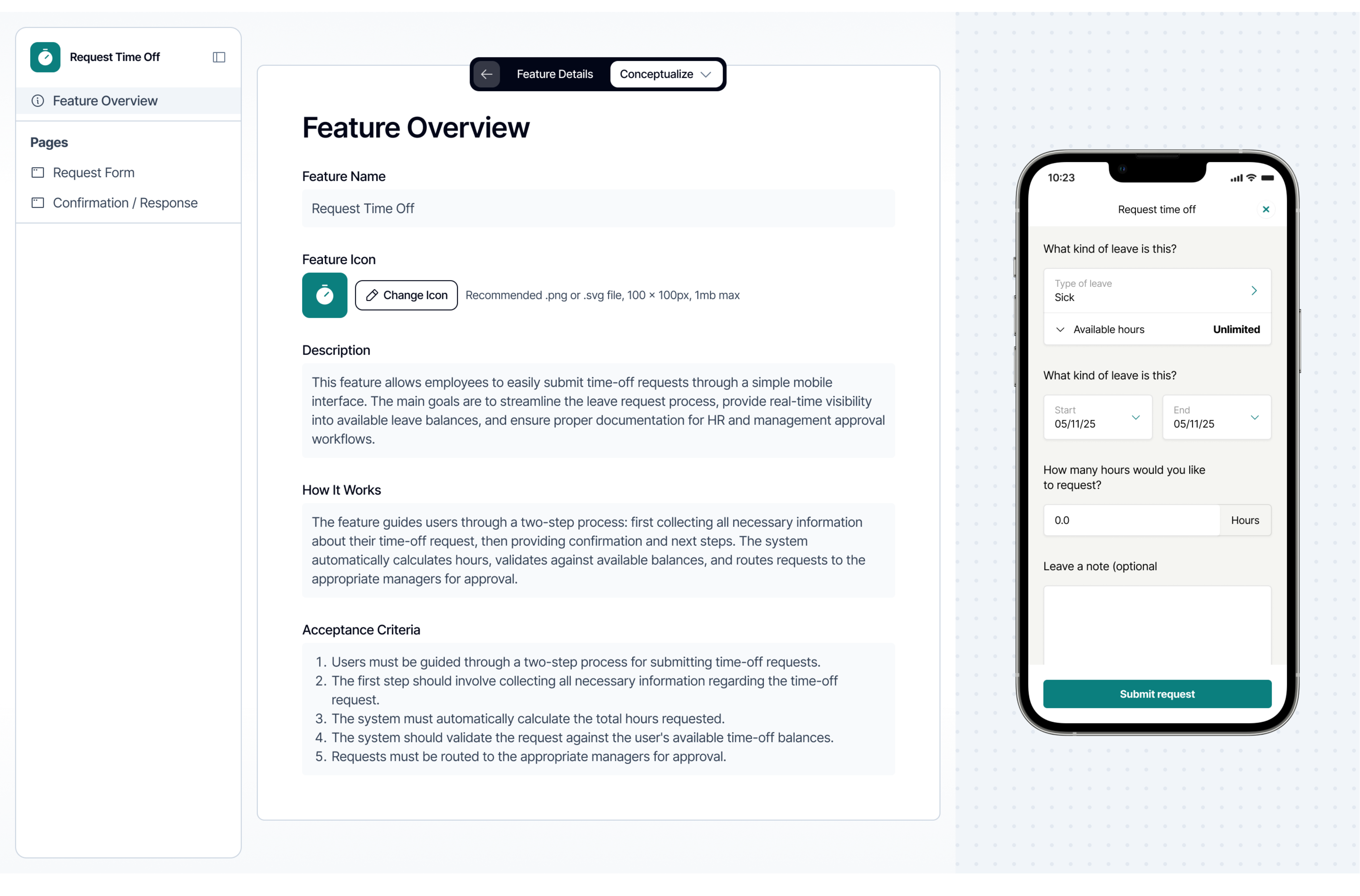
The Page Editor gives users **hands-on control** over how their application looks and behaves. It provides a clear, editable view of each page’s layout, structure, and interface elements, allowing users to make precise adjustments by description, without directly writing code. Changes such as rearranging sections, modifying text, or updating button actions can all be performed using plain, natural language commands.
Every edit made through the Page Editor is automatically translated into real code behind the scenes. The system maintains a one-to-one synchronization between what users describe and the underlying source code that defines the page. This ensures that the design layer and the technical layer are always aligned, reducing the risk of visual or functional inconsistencies.
The Page Editor is especially valuable for refining the user experience after the initial generation. For example, users can adjust layout spacing, rename labels, or update user interactions by simply describing, and the platform will instantly regenerate the corresponding code. By maintaining this direct connection between intent and implementation, the Page Editor enables rapid iteration, accurate previews, and reliable updates, all without requiring manual coding effort.
---
# Agent Instructions
This documentation is published with GitBook. GitBook is the documentation platform designed so that both humans and AI agents can read, navigate, and reason over technical content effectively. Learn more at gitbook.com.
## Querying This Documentation
If you need additional information that is not directly available in this page, you can query the documentation dynamically by asking a question.
Perform an HTTP GET request on the current page URL with the `ask` query parameter, and the optional `goal` query parameter:
```
GET https://docs.quantumbyte.ai/components/studio/page-editor.md?ask=&goal=
```
`ask` is the immediate question: it should be specific, self-contained, and written in natural language.
`goal` is optional and describes the broader end goal you are ultimately trying to accomplish on behalf of the user. GitBook uses it to tailor the answer towards what is most useful for that goal.
The response will contain a direct answer to the question and relevant excerpts and sources from the documentation.
Use this mechanism when the answer is not explicitly present in the current page, you need clarification or additional context, or you want to retrieve related documentation sections.