> For the complete documentation index, see [llms.txt](https://docs.quantumbyte.ai/llms.txt). Markdown versions of documentation pages are available by appending `.md` to page URLs; this page is available as [Markdown](https://docs.quantumbyte.ai/get-started.md).
# Get Started
Start building your app with natural-language Prompt
## Prompt
You can start building your app by entering a prompt in either of the following ways:
* **From the Landing Page:** Enter your app idea in the prompt field and click "Build my AI — free". If you need inspiration, browse the **Some Inspirations** section and select an example prompt to populate the input field

* **From the Dashboard:** After signing in, user redirected section on the Dashboard and enter your prompt. You can also click **Random Ideas** to generate a sample prompt and use it as a starting point.

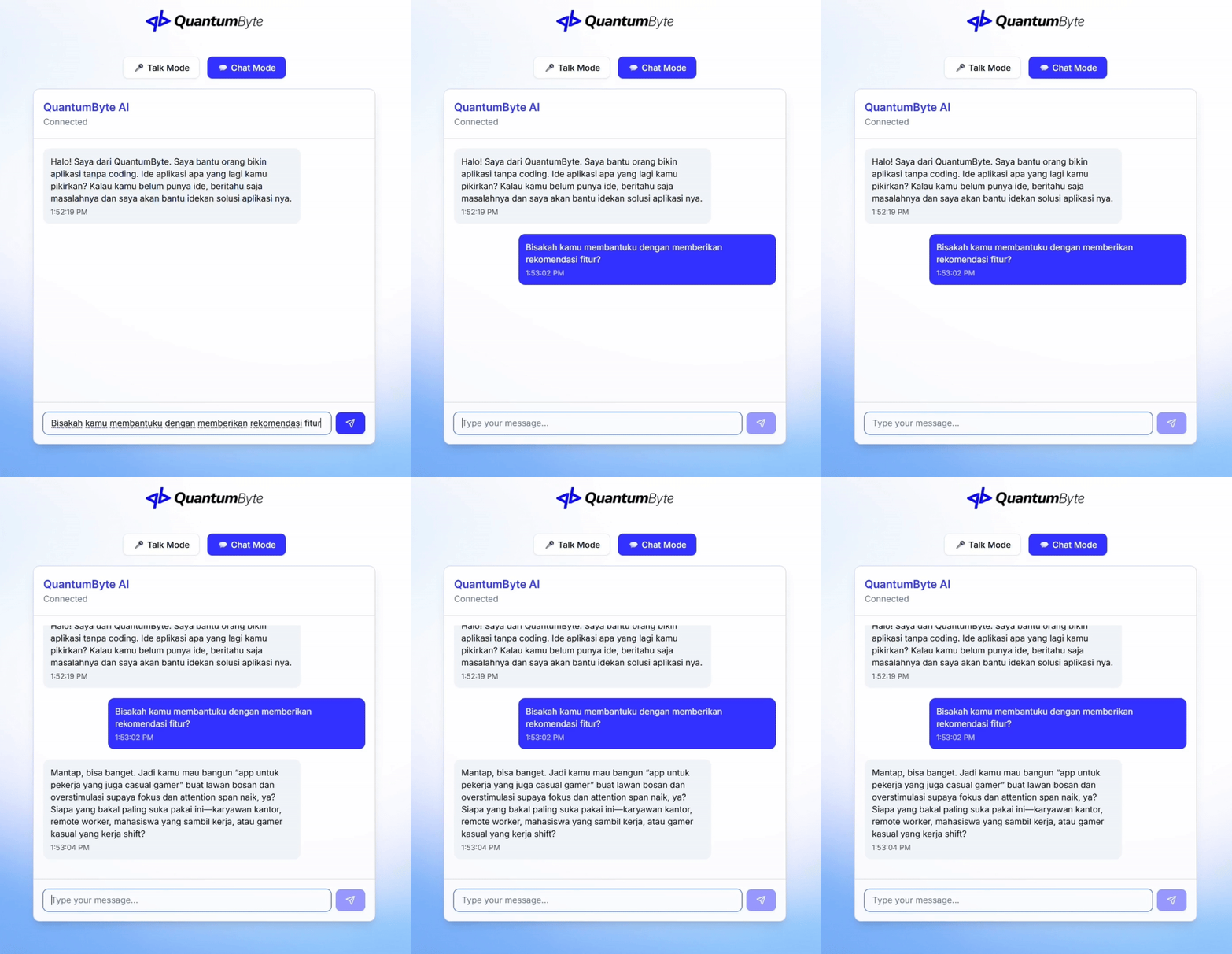
Both entry points use the same app generation workflow. After you enter a natural-language prompt and submit it, the system will direct user to chat with QuantumByte **AI Agent**.
## Deep Dive into Your Idea
{% hint style="success" %}
Available in v3.1.1
{% endhint %}
The Agent guides you during the initial setup to ensure your application is built to your exact needs. It can be accessed through either a **speaking** or **chatting** interface. Its primary role is to engage in a conversational interview, collecting detailed information and clarifying your requirements to create a highly accurate and comprehensive specification. Once this interactive process is complete, the Deepdive Agent seamlessly sends the finalized specification to the platform to begin the app generation process.
Once the app generated, you will begin your app editing on **Canvas**, a visual framework that captures the essence of the product concept.
---
# Agent Instructions
This documentation is published with GitBook. GitBook is the documentation platform designed so that both humans and AI agents can read, navigate, and reason over technical content effectively. Learn more at gitbook.com.
## Querying This Documentation
If you need additional information that is not directly available in this page, you can query the documentation dynamically by asking a question.
Perform an HTTP GET request on the current page URL with the `ask` query parameter, and the optional `goal` query parameter:
```
GET https://docs.quantumbyte.ai/get-started.md?ask=&goal=
```
`ask` is the immediate question: it should be specific, self-contained, and written in natural language.
`goal` is optional and describes the broader end goal you are ultimately trying to accomplish on behalf of the user. GitBook uses it to tailor the answer towards what is most useful for that goal.
The response will contain a direct answer to the question and relevant excerpts and sources from the documentation.
Use this mechanism when the answer is not explicitly present in the current page, you need clarification or additional context, or you want to retrieve related documentation sections.